Showing posts with label x510. Show all posts
Showing posts with label x510. Show all posts
Wednesday, March 15, 2017
Root Infinix Hot 2 X510 on Android 6 0 Marshmallow
Root Infinix Hot 2 X510 on Android 6 0 Marshmallow
If you’ve already updated your to Android 6.0 Marshmallow, you can gain back your root access following the guide am about revealing to you. However, you’ll be able to tweak dark corners of your android device and other root benefits.

Most of you know the importance of rooting your device. To mention a few, gaining root access lets you tweak your device to the fullest, helps in RAM management, improved smartphone experience, battery optimization, killing bloatwares (I call them crapwares), install custom roms and lots more.
Today, I’ll be your guide on how to root Infinix Hot 2 X510 on Android 6.0 Marshmallow….
Before you can root your Infinix Hot 2 X510, you’ve to first flash TWRP Recovery file on your Infinix Hot 2 X510, and then install SuperSU via recovery mode.
Requirements
- Sp flash tools (Download)
- Vocum drivers (Download the vcom mediatek drivers Here)
- Recovery image (Download)
- Recovery Enabler (Download)
If you are Using infinix Rom make sure you download the
Appropriate zip for your Rom. Likewise if you are using stock
AndroidOne Rom please do select the one for your Rom
- TWRP for Infinix Rom Click here Mega
- TWRP For AndroidOne stock Click here Mega
- ALSO READ: HOW TO UNBREAK STOCK MTK PHONES WITHOUT LOSING UR DATA AND UNROOT YOUR ANDROID STOCK ROM USER ONLY SO AS TO GAIN OTA UPDATE
Why for: Infinix Rom Hot 2 X510 has enable-recovery-button already just flash TWRP recovery for Infinix Rom Hot 2 X510 1GB & 2GB (Beta version) only Click here to download for those who love to install TWRP on it
How to Install TWRP Recovery on Infinix Hot 2 X510
Step 1: First download the recovery zip files and then extract the “Recovery.img” and “MT6580_Android_Scatter.txt” file to the desktop screen of your computer or create a folder and extract to it. Also download the recovery enabler file and extract to same folder.
Step 2: Now, power off your device, and remove the battery if possible.
Step 3: Next, download the SP Flash tool, and extract the files to your computer
Step 4: From the extracted files, open Flash_tool.exe
Step 5: Once the flash tool is launched, then click on the download/upgrade tab and click on scatter loading button and select that for Recovery Enabler
Step 6: Now, locate the “MT6580_Android_Scatter.txt” file, which is on your desktop.
Step 7: After that, click download to begin flashing process.
Step 8: Immediately, connect your device (without battery if possible) to your computer via USB cable, and press Volume Down or up key, so it would be detected easily by your computer.
Step 9: The Flashing process would be in progress, and a Green button would appear once the process is completed.
Step10. If your infinix got stock after flashing (Recovery Enabler), mostly for those running on android one rom: Simply flash only (Boot) from your current stock rom. that will restore your fone back, then continue with step 11.
Step 11: Repeat same steps for the Recovery image that’s it. TWRP Recovery is now installed on your Infinix Hot 2 X 510 ,but do not reboot after flashing. Boot straight to Recovery, simply press and hold Volume Down button + press Power button.
Step10. If your infinix got stock after flashing (Recovery Enabler), mostly for those running on android one rom: Simply flash only (Boot) from your current stock rom. that will restore your fone back, then continue with step 11.
Step 11: Repeat same steps for the Recovery image that’s it. TWRP Recovery is now installed on your Infinix Hot 2 X 510 ,but do not reboot after flashing. Boot straight to Recovery, simply press and hold Volume Down button + press Power button.
Also Read on : INFINIX Hot 2 X510 Stock Roms / Upgrade Infinix Hot x510 To Marshmallow 6.0
How to Root Infinix Hot 2 X510 on Android 6.0 Marshmallow
Step 1: Firstly, download the SuperSU file from here, and move the downloaded files to the internal storage of your Infinix Hot 2 X510 device.
Step 2: Now, switch off your device and boot to recovery mode (press and hold Volume Down button + press Power button).
Step 3: After that, go to the recover main menu, and then choose install, and then select the SuperSU Zip file and flash immediately.
Step 4: Once the installation process is completed, simply go back main recovery menu and tap on Reboot system, and your device would be rebooted.
That’s it. Your Infinix Hot 2 X510 would be rooted on Android 6.0 Marshmallow successfully. To verify root access, simply download root checker and confirm if your device has gained root access.
Available link for download

Sunday, February 26, 2017
XUI ROM For Infinix Hot 2 X510
XUI ROM For Infinix Hot 2 X510

Many of us using the Infinix hot 2 have been complaining of one bug or the other, from the battery, the the storage, the camera etc.
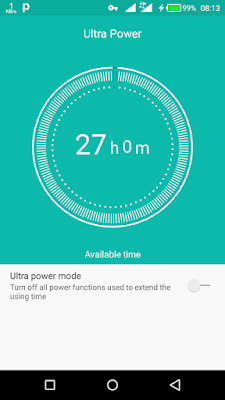
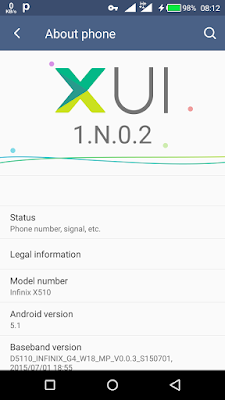
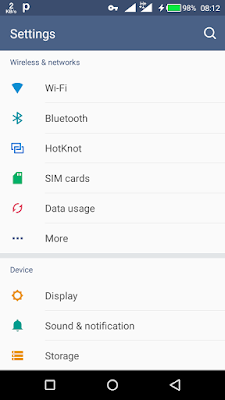
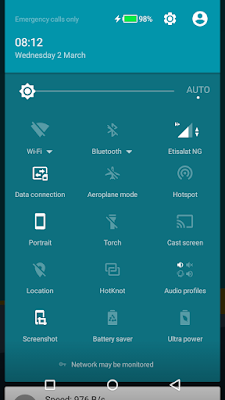
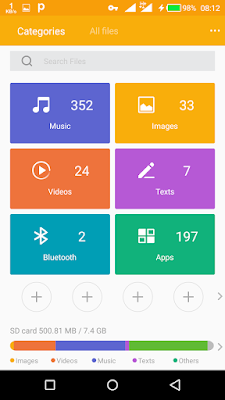
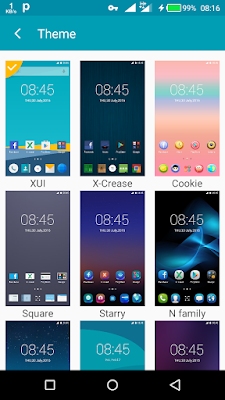
Good news, introducing a stable XUI Lollipop ROM for the Infinix hot2, this ROM is so beautiful as its stable, the battery life is impeccable, and the camera quality is super sweet, I know most of us are bored of using the Google camera already.
Screenshots:

How To Install This ROM
?You must be on Android One ROM, if not Click Here to download.
?You must have TWRP recovery installed, download Here
DOWNLOAD:
XUI ROM zip
Fix XUI zip
1. Copy and paste XUI ROM zip and Fix XUI zip to the root of your sdcard.
2. Boot into twrp recovery (power + vol up buttons)
3. In twrp, select wipe and click on Advanced Wipe, and tick the following options (System- data- dalvik cache- cache)
4. Swipe to perform the wipe
5.After the wipe is successful, Go back to twrp recovery front page and select Install.
6. Locate the XUI ROM zip and select it for flashing.
7. After that is successful, go back and do the same for the Fix XUI file.
8. After flashing is completed, click on wipe caches and then Reboot.
9. Please if twrp offers to install root on your phone, dont let it.
10. For Root Click Here
NB:This ROM is android version 5.1
THANKS tO:
all Members Infinix Hot 2
All Member Infinix Hot Note X551 Indonesia
Wildfire Agung Nugraha
Yie Ezra
XDA
ANDROBUDDIES TEAM
?You must have TWRP recovery installed, download Here
DOWNLOAD:
XUI ROM zip
Fix XUI zip
1. Copy and paste XUI ROM zip and Fix XUI zip to the root of your sdcard.
2. Boot into twrp recovery (power + vol up buttons)
3. In twrp, select wipe and click on Advanced Wipe, and tick the following options (System- data- dalvik cache- cache)
4. Swipe to perform the wipe
5.After the wipe is successful, Go back to twrp recovery front page and select Install.
6. Locate the XUI ROM zip and select it for flashing.
7. After that is successful, go back and do the same for the Fix XUI file.
8. After flashing is completed, click on wipe caches and then Reboot.
9. Please if twrp offers to install root on your phone, dont let it.
10. For Root Click Here
NB:This ROM is android version 5.1
THANKS tO:
all Members Infinix Hot 2
All Member Infinix Hot Note X551 Indonesia
Wildfire Agung Nugraha
Yie Ezra
XDA
ANDROBUDDIES TEAM
Available link for download
Monday, January 23, 2017
Infinix Hot 2 x510 Android ONE Toolkit
Infinix Hot 2 x510 Android ONE Toolkit
Android ONE Toolkit (One Click Root , Unlock/ReLock Bootloader)

Supported Devices:
Infinix Hot 2 (x510) Android ONE
Micromax Canvas A1
Karbonn Sparkle V
Spice Dream UNO
Nexian Journey One
Symphony Roar A50
Evercoss One X
Mito Impact
MyPhone Uno
Cherry Mobile One
Features:
One click Unlock or Relock Bootloader.
One click Root Locked or Unlocked Bootloader.
One click Flash recovery and 3 custom recoveries.
Install Single apk or Bulk apks.
SUPPORT ALL ANDROID ONE DEVICES
Requirement:
.Net 4.0 (Click here to Download)
How To Use:
- Turn ON USB Debugging Mode under Setting>>Developer options
- Open Android ONE Toolkit
- Click on Install Drivers Button(Skip if already installed)
- Click List Devices button, your device will be listed
- Unlock/Relock/Root your device else install apps
Unlocking Bootloader:
- Unlocking bootloader will Wipe/format Userdata**
- Click on List device just to make sure your device is properly connected to adb
- Click on Unlock Button, wait for device to boot in fastboot mode
- Press Vol+ key on your on phone to confirm Unlocking
- Phone will be reboot and may take some time to Boot.
Now you can Install Custom recovery
Flashing Recovery:
Make Sure your device Bootloader is Unlocked
- Click on List device and see your device is listed
- Select any recovery from the Recovery List
- Click on Flash Recovery Button
DONE
You can Boot to your recovery by clicking on "Recovery" button
Now can Root your Unlocked Bootloader device
Rooting with Unlocked Bootloader:
Unlock Bootloader
Flash any custom recovery
Click on List device and see your device is listed
- Click on ROOT Button
- Wait for recovery to load
- and follow the instructions
Device will reboot
Now your device is Rooted
Rooting with locked Bootloader:
Click on List device and see your device is listed
- Click on ROOT Button
- Wait for recovery to load
- and follow the instructions
Relocked Bootloader:
Click on List device and see your device is listed
- Click on Relock Button, wait for device to boot in fastboot mode
- Press Vol+ key on your on phone to confirm Unlocking
DONE
Credit:
@xda-developers
Download Link
Android One ToolKit 1.2[UPDATED 25.2.15]- Click here to download
Android One Toolkit 1.2.1 Patch install on 1.2[7mb] - Click here to download
Available link for download
Subscribe to:
Posts (Atom)